FREE MONITOR CALIBRATION - COLORMUNKI DISPLAY FOR MEMBERS’ USE
As a benefit of membership you are entitled to borrow the group’s ColorMunki Display device.
Please contact us with your loan request.
For those of you who have never calibrated your monitor here is a good link with a quick explanation about the importance of monitor calibration.
https://fstoppers.com/gear/why-you-need-calibrate-your-monitor-264866
How to use the ColorMunki device to calibrate your monitor display.
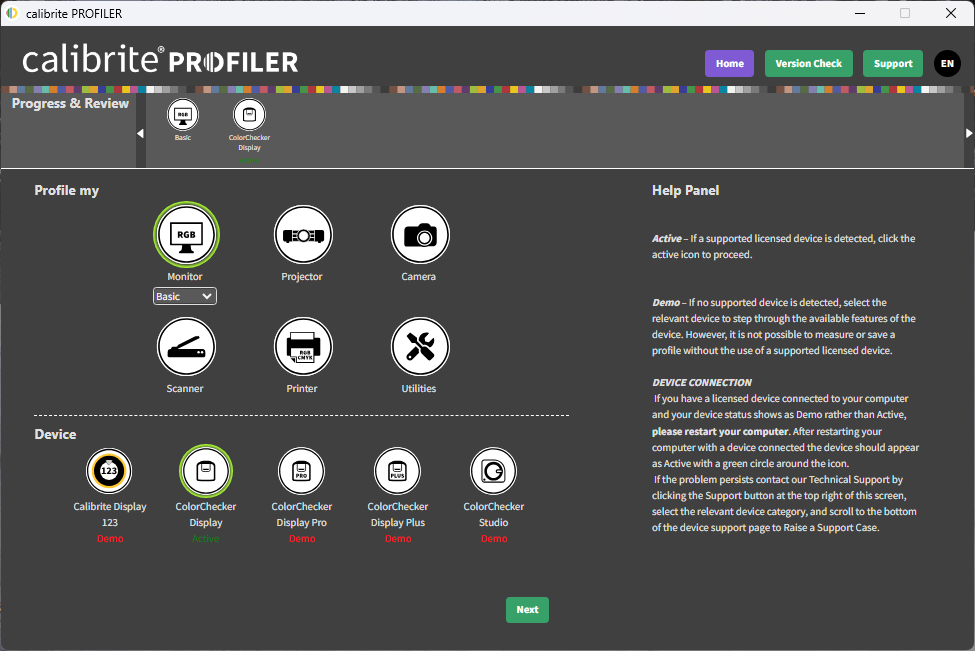
The ColorMunki Display now uses the Calibrite PROFILER software.
1. Download and install the current release of the software from https://calibrite.com/us/software-downloads/ (at no cost).
2. Once installed, run the Calibrite PROFILER software. When it opens for the first time, you will need to enter the email and password that was provided to you when you picked up the ColorMunki.
To begin calibrating your monitor, following the instructions provided by the application.